
Last updated 25 November 2026
A quick peek inside this blog, all about Flodesk + Claude 📬
- 🫣 Do you send your emails (in Flodesk or anywhere else) and then never go back to see how they did?
- 🤯 Have you ever wondered if anyone gets past the first email of your welcome sequence?
- 💡 Would you love to just ask your AI “how are my emails doing?” and get an answer in plain words?
Keep reading for my real Flodesk welcome workflow, how Claude reads it for me, and how to connect Claude to your own Flodesk
The short answer: I check my Flodesk email automation by asking Claude. Flodesk has its own connector for Claude (it’s called an MCP, more on that below), so once it’s connected I can ask “how is my welcome workflow doing?” in plain words, and Claude reads every step for me, from who came in to who opened and clicked each email. No exporting and not a spreadsheet in sight.
Quick heads-up: I’m a Flodesk Partner, so the Flodesk link in this post is my partner link (an affiliate link, so I earn a commission if you choose a paid plan through it, at no extra cost to you). I was a paying customer, three separate times, before they ever asked me 🤣
On a Sunday in October 2025, I sent my list an email about moving my emails back to Flodesk, and it started like this:
It’s official, I’m moving! Not apartments. Not countries. (I wish 🫣)
I was finally leaving behind what I called “beige looking emails, meh templates, and a ‘don’t look too closely’ backend”. And I meant every word when I wrote to my people that day: “It feels like my whole business just got a nervous system upgrade.”
What I didn’t know yet was that this was the start of something much bigger than prettier emails (because with my brain, nothing stays small for long…). A year later, Flodesk sends my welcome emails while I sleep. Every Sunday, all my email numbers land in my email database in Notion by themselves, and Claude reads every step of my workflows for me whenever I’m curious.
Why did you go back to Flodesk a third time, Jacky?
Because I missed it, and that’s the whole truth of it. Flodesk and I have a bit of an on-and-off story. I had a year with Flodesk long before all of this, and then burnout came and I cancelled everything. Later I came back, and when I opened my online membership I told myself I didn’t really need email that much, and paying every month for something I wasn’t doing much with felt expensive. So I moved to another platform, because it had a free plan.
I almost immediately regretted it. Next to Flodesk it just felt so clunky to me, so user-unfriendly… and the little voice in my head had an answer ready for that too:
“Well, you know what? I need to be smart with money, and I can always switch later, right?”
So I stayed a while. And then I went back to Flodesk because I simply missed it, and within about two weeks Flodesk Partners popped into my Instagram DMs with an invite to apply (yay, I was all in, right?).
Would I recommend them if I wasn’t a partner? Yes, because I love them that much. One of the things that matters so much for female business owners is a tool that works AND doesn’t overwhelm you, and Flodesk does minimalism down to a science. They’re also the ones who taught me more about email marketing than anybody else, because they take it so seriously.
Wait, you never looked at your email numbers?
Nope. Getting them was its own little job, and that job never made it onto my list. I was writing my emails and sending them, every single week, and my inner voice had exactly one review of all that effort:
“Yay, you send out your emails!”
The numbers were right there inside my account. Which subject line made people open, and which link did they click? Finding out meant logging in, clicking into every email, copying the open rate and the click rate somewhere I’d actually see them, and doing it all again the next week (and the week after that…).
It was just one of those things you never do, because you never really do that stuff, right? Nobody wants to go back in, look at numbers, copy-paste and all the things. Not when there’s a whole business waiting for you on the other side of the screen 🤦♀️
What is this Flodesk MCP, and what did you ask it first?
The Flodesk MCP is a plug between your Flodesk account and an AI like Claude, so you can ask about your emails in plain words and it answers from your real account. MCP stands for Model Context Protocol, which sounds terribly serious (I promise you don’t have to remember it to use it), and it only works with your permission.
As a Flodesk Partner I got to test it early in 2026, and the very first thing I wanted from it was those numbers. My open rates, my click rates, all the things I’d been skipping.
That alone was already a blessing, because suddenly I could spot which emails did particularly well without opening a single report. I was so excited about it that I sent Flodesk a big pile of feedback at 1am (of course I did 🤣), and their team came back asking if they could feature a quote from me.
A question to Claude can be as ordinary as this:
Me: Which of my emails did best this month, and why do you think that is?
Claude: reads my sent emails, tells me which ones people opened and clicked most, and what those emails had in common.
So what does your Flodesk workflow actually DO, Jacky?
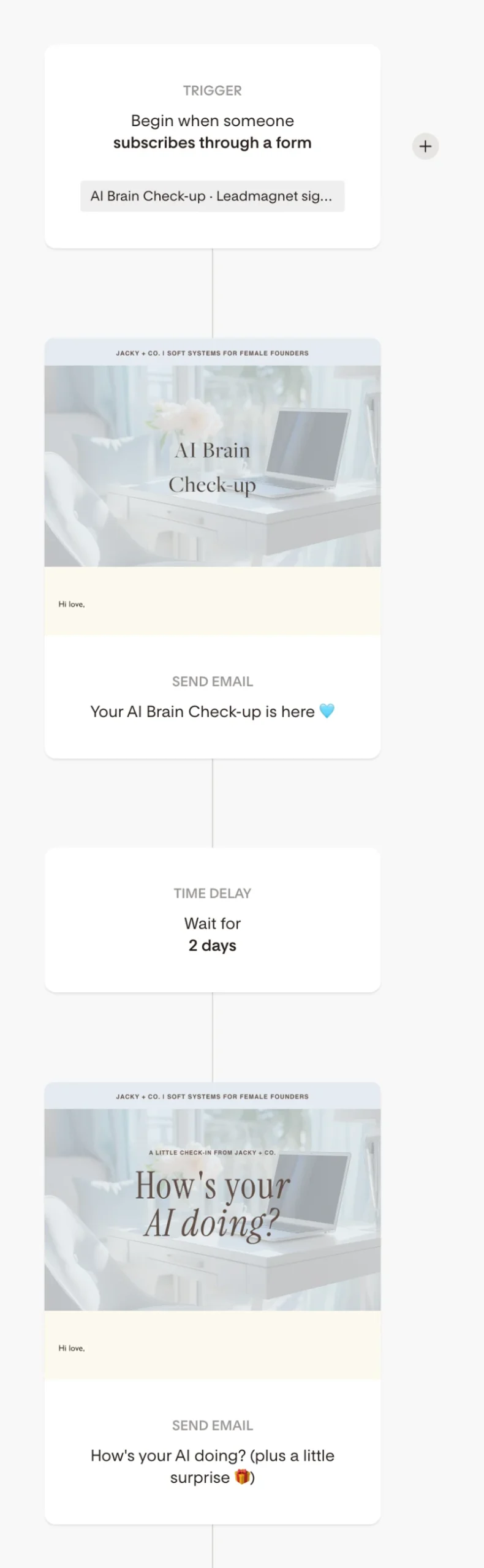
It welcomes every woman who signs up for my free AI Brain Check-up, hands her the Check-up straight away, and then checks in with her over the next few days, all by itself. A workflow is Flodesk’s word for an automated email sequence, and this is mine, step by step:
- The trigger: she signs up through the Check-up form on my website.
- Email 1, straight away: “Your AI Brain Check-up is here 🩵”, with the password inside in big letters (because nobody wants to hunt for a password at the exact moment she’s curious).
- Flodesk waits two days.
- Email 2: “How’s your AI doing? (plus a little surprise 🎁)”, asking how her AI did on the Check-up.
- Flodesk waits three days.
- Email 3: “What your check-up can’t do for you 🩵”, about the gaps the Check-up shows her and how to fill them.
I love this kind of system so much. I write the welcome I want her to receive once, and Flodesk takes care of the timing. The woman who signs up on a Tuesday night gets the same warm welcome as the one who signs up on a Sunday morning, and I don’t have to remember a thing (which, with my brain, is the whole point). It’s the kind of marketing that can survive a hard Tuesday.
How do you check your Flodesk email automation?
I ask Claude, and it reads the whole workflow for me, step by step. I type something like “How is my AI Brain Check-up welcome workflow doing in Flodesk? Walk me through each step.” and Claude comes back with how many people came in, how many are waiting in a pause right now, and how many opened and clicked each email.
So I can see exactly where people stay with me and where they drift off, without opening a single report.
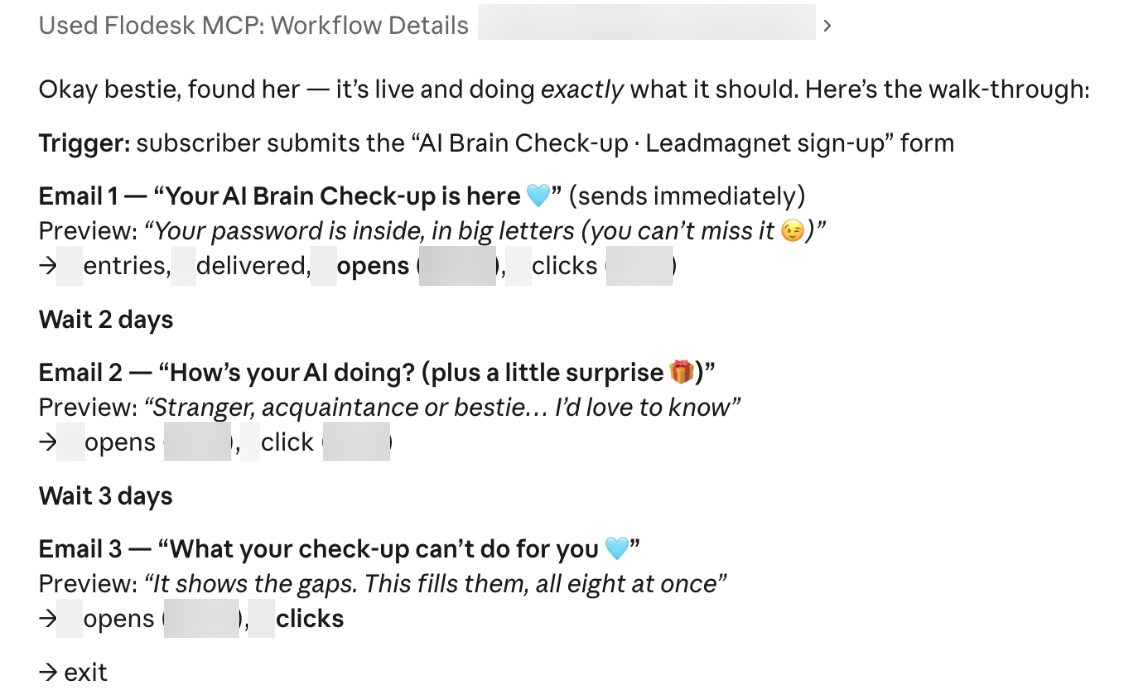
When I asked, the workflow was still very young, with only a handful of people in it (some of them me, testing it). So I’m not drawing big conclusions yet (tiny numbers, I know…). But one thing jumped out at me straight away…
Everyone opened the first email. That password in big letters does its job… But the clicks got quieter with every email after that, and that’s exactly the moment I thought:
“Okay, so what happens to the woman who never even opened email 2?”
Can a Flodesk workflow do more than that?
Yes! A Flodesk workflow can look at what someone did and send her down a different path, and those paths can meet up again later. So instead of everyone getting the same emails in the same order, the workflow can react to her.
So that’s what I added to my Check-up workflow, right after email 2:
- Did she open email 2? Then she carries on as before, with the three-day wait and email 3.
- Still not opened after a day? Then Flodesk waits one more day and sends her email 2 again, with a new subject line: “Your little surprise is still waiting 🎁”
- And then both paths meet up again, so she gets email 3 just like everyone else.
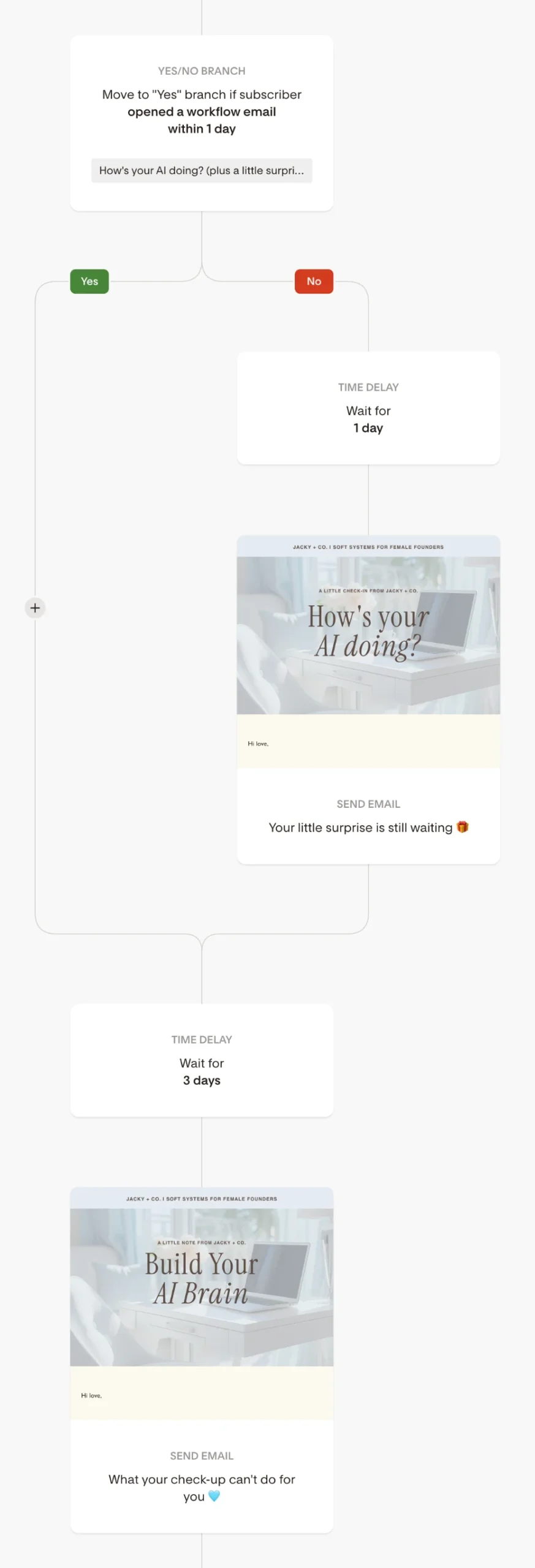
One more knock at the door, never a pile of extra emails. It’s one more chance for the surprise to be found, and then she carries on with everyone else.
And that’s only one of the ways a workflow can react. A workflow can also start from more than one trigger, and if you sell through Flodesk Checkout, Shopify, ThriveCart, Squarespace or Wix, a purchase can start a workflow too. Abandoned-cart workflows work for all of those except Squarespace.
Okay, how do I connect Claude to my Flodesk?
You connect it once, from inside Claude. These are the steps from Flodesk’s own help article:
- In Claude, go to Customize > Connectors.
- Click Add > Browse connectors.
- Search for Flodesk.
- Click it, then Connect to Claude. Claude sends you to Flodesk, you log in, and you’re connected.
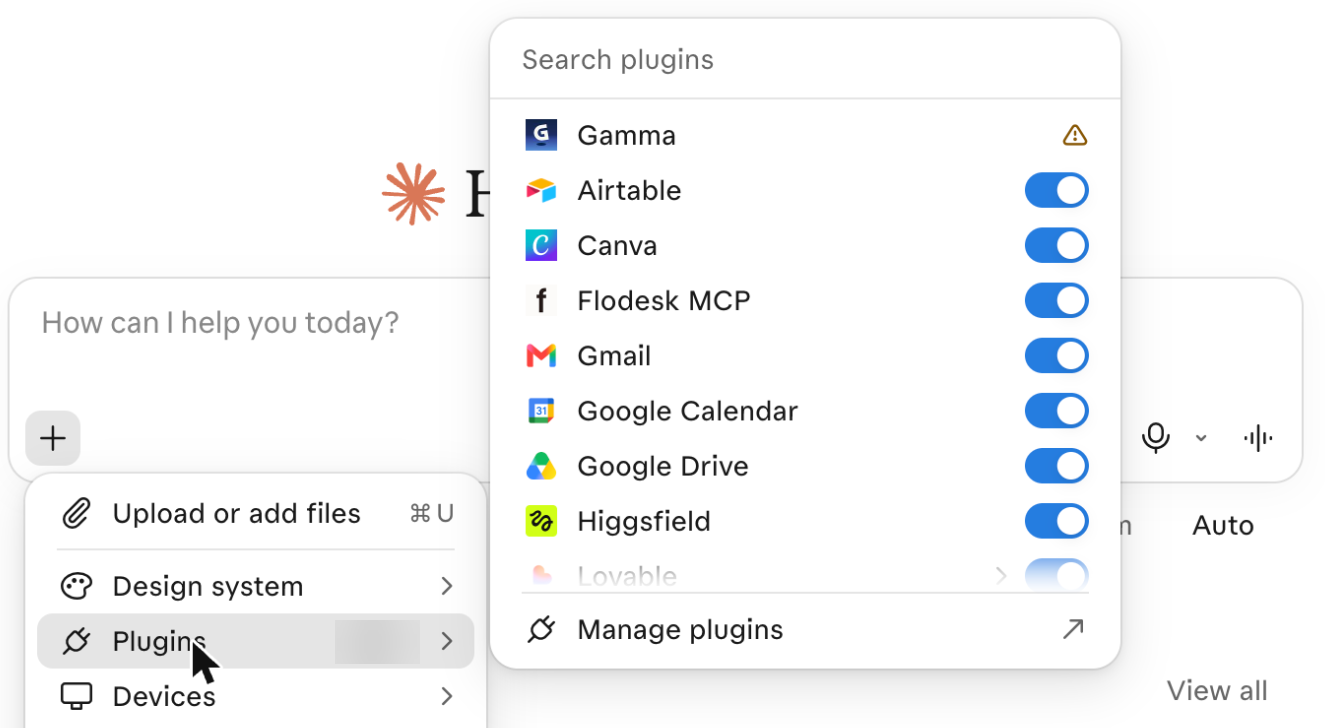
Once it’s connected, it sits under the little + in any chat, ready to switch on. The connection itself is free for Flodesk members, and I use it on my Claude Max plan.
Then ask your first question. It doesn’t have to be impressive. Pick an email you already sent and ask Claude what it can see, because that’s exactly how mine started.
Wait, you have an AI that works inside your Flodesk?
I do, and this is where it gets really fun 👩💻 I built my own AI employee in Claude, my Flodesk Wizard, and she does most of my Flodesk work for me. I write my emails in Notion, the app my whole business lives in (more on why Notion became my safe place), and she goes into my Flodesk, right in my own browser, and builds them there with her little magic pixie hands. She builds my welcome workflows too, from the words we wrote together.
(Even the re-send step you just saw? My Flodesk Wizard built it, the moment I said yes.)
Every Sunday at noon, another AI employee asks Flodesk for my latest email numbers and writes them next to each email in my email database in Notion. My other AI helpers read those numbers and put what matters on my dashboard, so I always know exactly how my emails are doing.
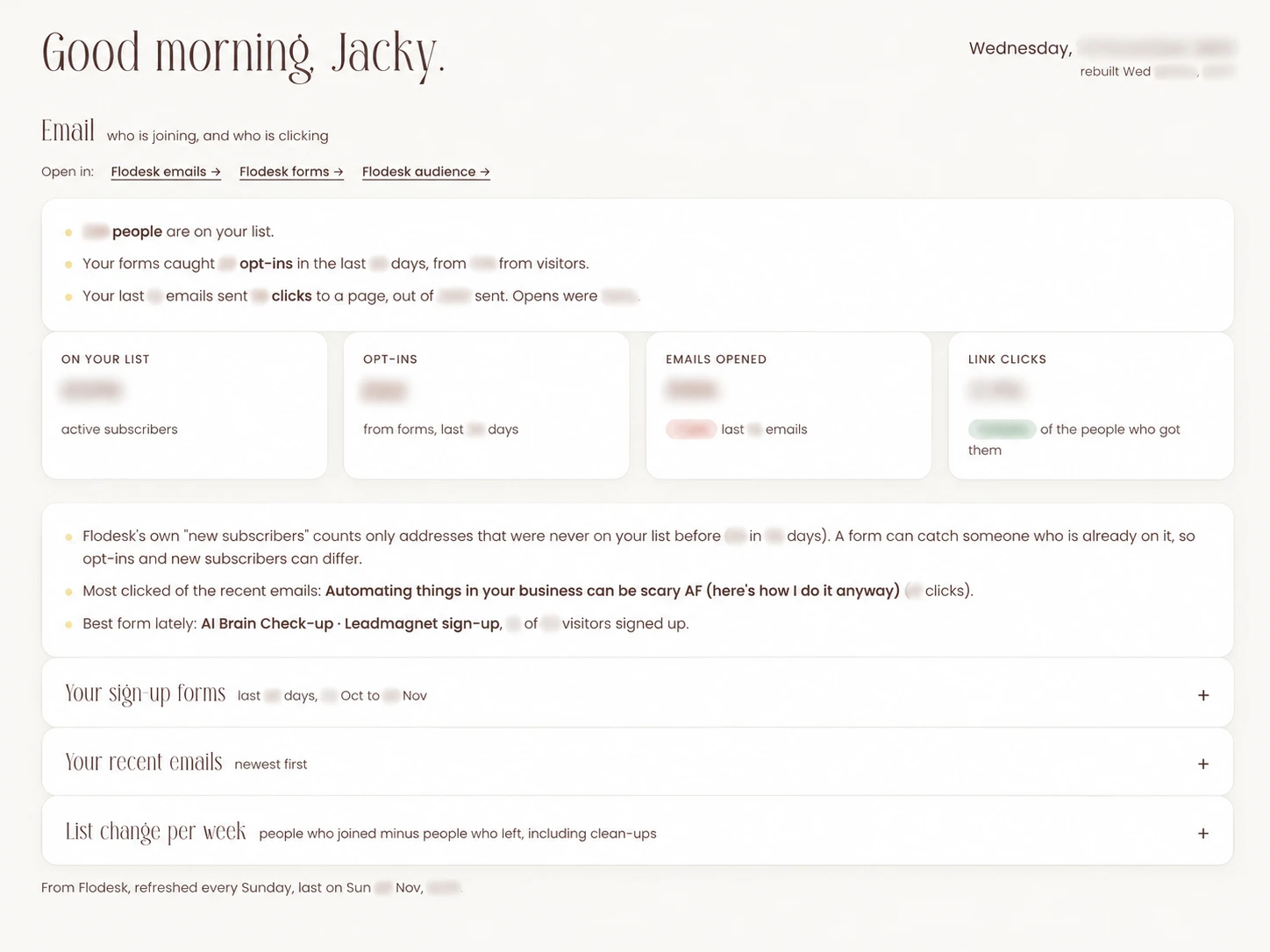
So I don’t go into Flodesk to draft, copy, paste and tweak any more. But there’s one step I keep for myself, every single time, and it’s the one rule my Flodesk Wizard can never skip:
“I’m still the human in the lead. I still want to make sure that I send myself a draft, look it over, check the links, and see if everything’s fine. Then it gets scheduled and sent.”
Why does Flodesk Unlimited matter for my workflows?
Because now nothing punishes you for growing. At the end of November 2025, Flodesk retired its unlimited plan, and I told my list it was their last chance to grab it. And now… guess who’s back, baby 💃
Unlimited is back, so you can say yes to those big freebie bundles and grow your numbers, because you’re not going to be punished for growing your list. In Flodesk’s own words:
Flodesk has two plans, Unlimited Email and Unlimited Everything. Both include unlimited subscribers and unlimited emails for one flat price. Unlimited Email starts at $38 a month and Unlimited Everything starts at $79 a month, billed annually. Your price stays the same whether you have 500 subscribers or 50,000, which is what makes Flodesk so affordable in the long run.
Their workflows are unlimited too, so there’s room for every welcome sequence you’ve been saving for “one day”…
→ Try Flodesk with my partner link, and get 25% off your first year
(This is my partner affiliate link.)
Your questions about Flodesk and Claude, answered
Can Claude change things in my Flodesk account?
With Flodesk’s own connector, Claude reads your numbers and can make small changes to your subscribers and segments, like adding someone to a segment (Flodesk makes it ask you first before it changes or removes anything that’s already there). Flodesk says the connector itself can’t send or schedule emails. My Flodesk Wizard goes further, because she works inside my Flodesk in my own browser and builds my emails and workflows for me. The one thing she may never do without my yes is send or schedule, because that’s the guardrail I gave her.
Do I need to be techy to use the Flodesk MCP?
No. Once it’s connected you ask in plain words, the same way you’d ask a friend, and Claude answers in plain words too.
Can a purchase start a Flodesk workflow?
Yes. A purchase through Flodesk Checkout, Shopify, ThriveCart, Squarespace or Wix can start a workflow, and an abandoned cart can too on all of those except Squarespace.
So where do I start?
Start with one question. Connect Claude to your Flodesk and ask it about one email you already sent, then see what comes back.
When I sent that “It’s official, I’m moving!” email, I thought I was getting prettier emails. I ended up with a welcome that runs while I sleep and numbers that come and find me (my brain still can’t quite believe it 🤯). And I still check every single draft before it goes out, because that part stays mine.
So… which of your emails would you love to know the real story behind? (I bet one is already waving at you from your sent folder 🤗)
If you’re not on Flodesk yet, this is where I’d begin:
→ Try Flodesk with my partner link, and get 25% off your first year
(This is my partner affiliate link.)
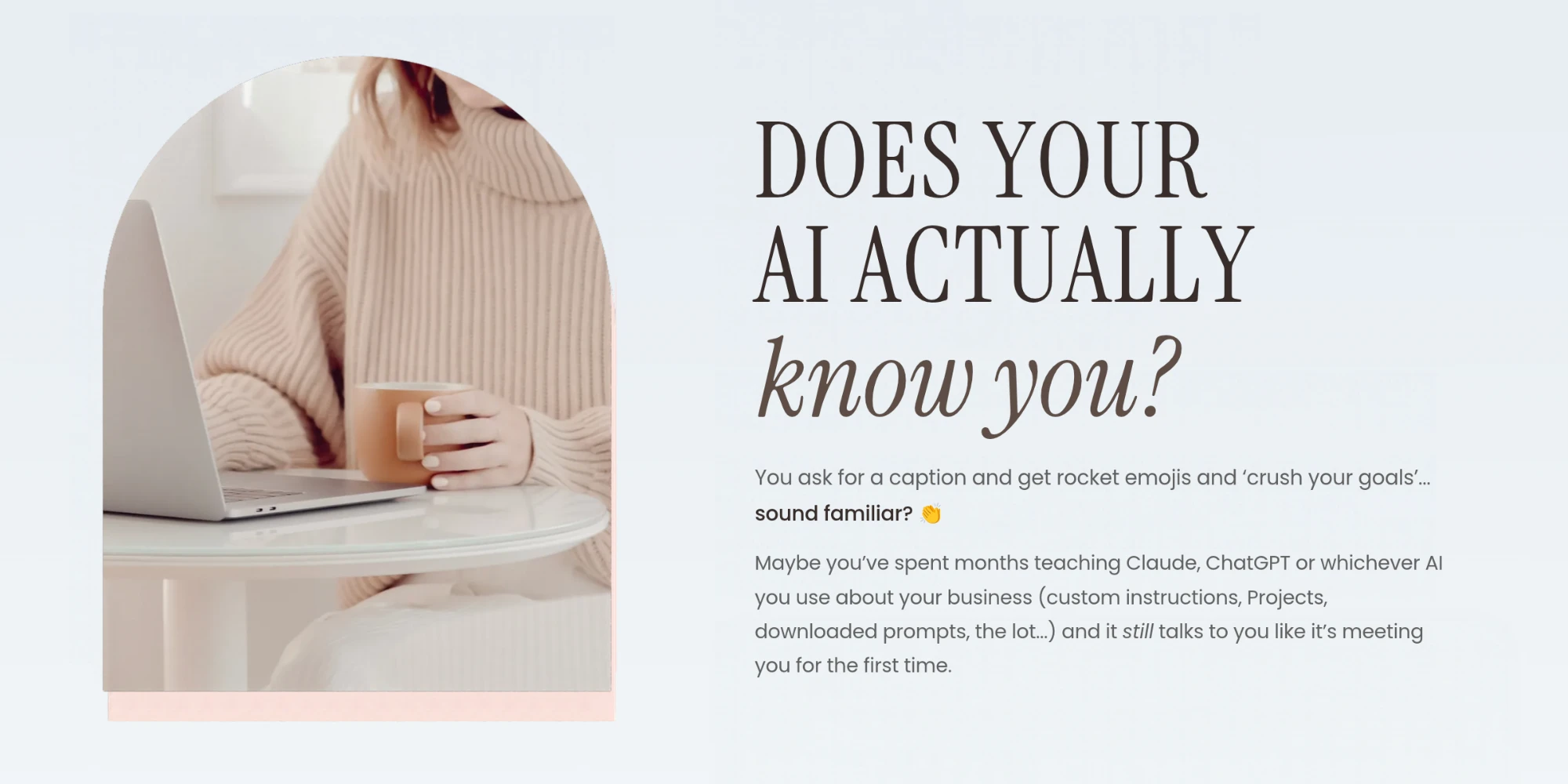
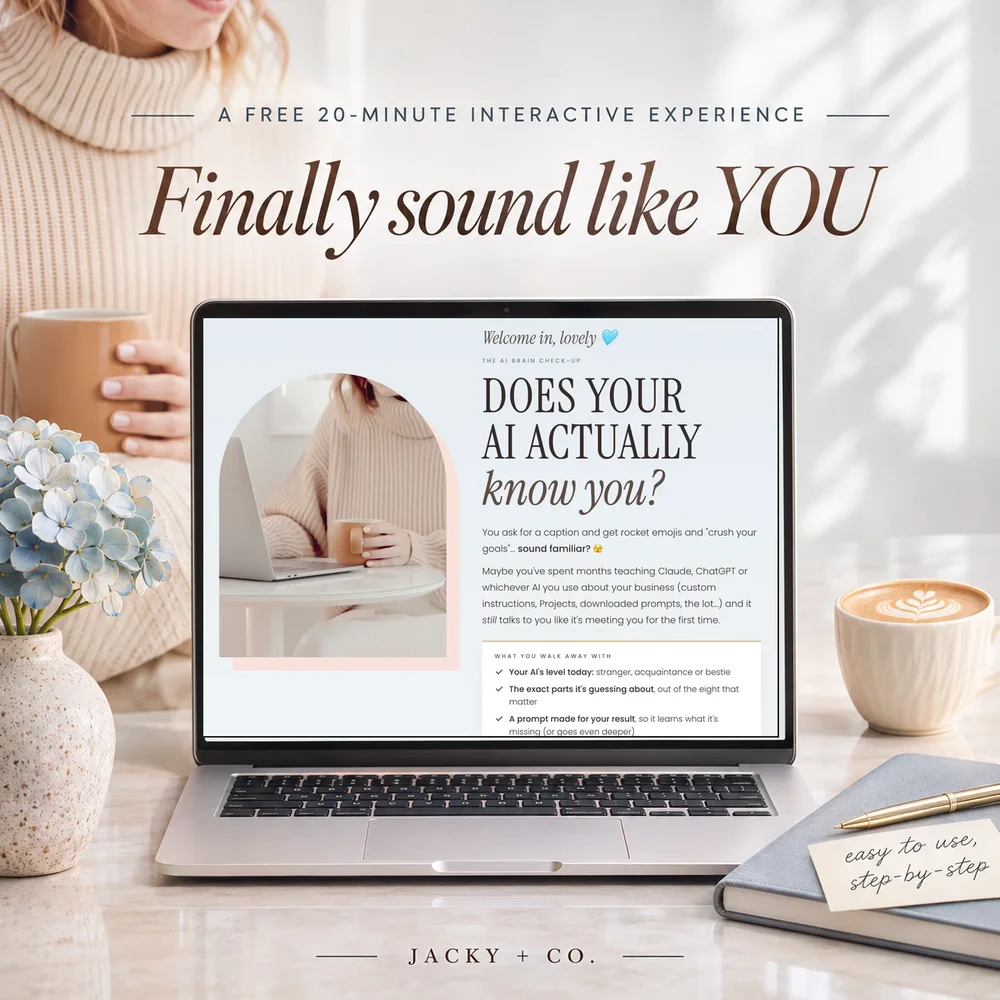
And if you’d like to see my workflow from the other side first, my free AI Brain Check-up arrives through the exact emails you just read about. It takes about 20 minutes and shows you how well your AI really knows you and your business, before you plug anything into it 🩵
メ૦ Jakolien